Demos
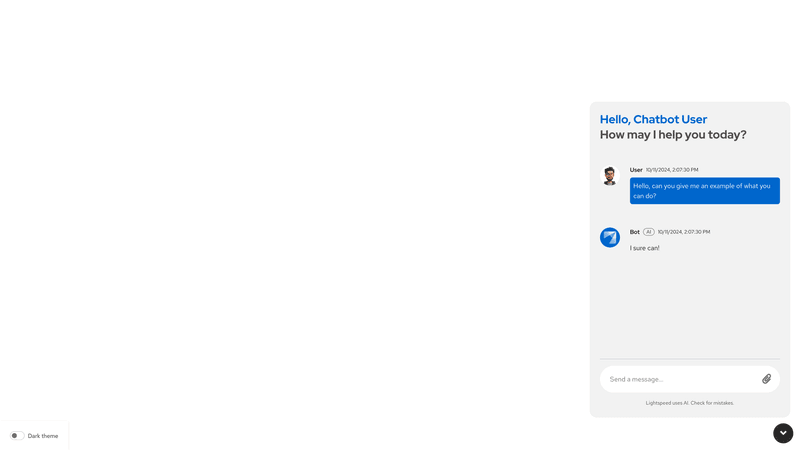
Attach via upload button in message bar
This demo displays unique attachment features, including:
<ChatbotContent>and<MessageBox>components that contain:- An initial user
<Message>with an attachment. - The ability to preview or edit the attachment using the
<PreviewAttachment>and<AttachmentEdit>components. - A PatternFly
<Alert>, customized to be sticky within the chatbot window, which provides success or error messages for attachments.
- An initial user
<ChatbotContent>and<ChatbotFooter>, wrapped in a<FileDropZone>component to support drag and drop attachments. The footer also:- Displays attached files, using a
<FileDetailsLabel>component. - Demonstrates custom handling of file uploads, using the
handleAttachin<MessageBar>andhandleFileDropin<FileDropZone>.
- Displays attached files, using a
This demo includes broader chatbot features, including:
- A
<ChatbotToggle>that controls the<Chatbot>container. - A
<ChatbotHeader>that updates based on the display mode, with sub-components (including a<ChatbotHeaderTitle>). - The ability to swap display modes via the
<ChatbotHeaderOptionsDropdown> - A
<ChatbotContent>and<MessageBox>with:- A
<ChatbotWelcomePrompt> - The ability to preview or edit the attachment.
- An initial bot message
- A
- A
<ChatbotFooter>with a<ChatbotFootnote>and a<MessageBar>
Attach via menu of options in message bar
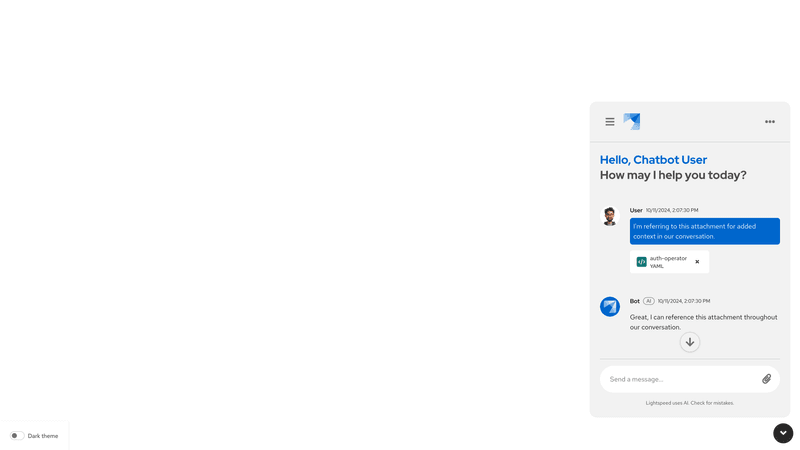
This demo displays unique attachment features, including:
<ChatbotContent>and<MessageBox>components that contain:- A PatternFly
<Alert>to provide success or error messages for attachments.
- A PatternFly
<ChatbotContent>and<ChatbotFooter>, wrapped in a<FileDropZone>component to support drag and drop attachments. The footer also:- Displays attached files, using a
<FileDetailsLabel>component. - Demonstrates custom handling of file uploads, using the
handleAttachin<MessageBar>andhandleFileDropin<FileDropZone>. - Demonstrates how to define the
attachMenuPropsin the<MessageBar>to create a menu that allows users to select the source of an item they're attaching.
- Displays attached files, using a
This demo includes broader chatbot features, including:
- A
<ChatbotToggle>that controls the<Chatbot>container. - A
<ChatbotContent>and<MessageBox>with:- A
<ChatbotWelcomePrompt> - An initial user message and initial bot message
- A
- A
<ChatbotFooter>with a<ChatbotFootnote>and a<MessageBar>